
How To Withdraw Money From BDG Game To Bank Or UPI?
A BDG Game withdrawal moves your winnings from the in-app Wallet to your own bank account through UPI, or to a USDT address. You start from the Wallet, tap Withdraw, pick your method and send the request with your login password.
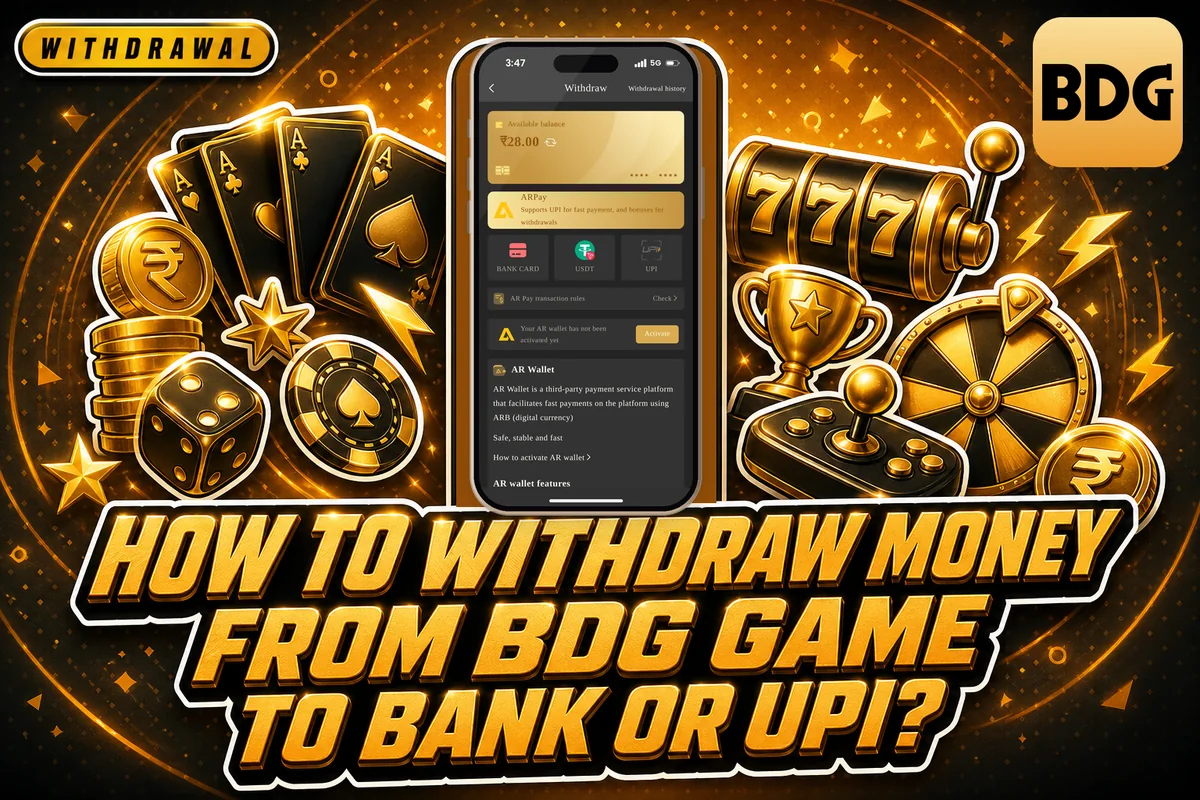
Before the Withdraw button does anything useful, two things must already be in place: your total bet must show zero, and your payment account details must belong to you. Below you will find the full steps, the daily request limit, the time rules for each method and the fixes for the problems new players usually face.
How A BDG Game Withdrawal Request Works
BDG Game, also known as BDG Club and BDG Win, lets you withdraw money from your Wallet balance to a payment account you add yourself. Every BDG Game withdrawal request goes to the platform for review, and the status changes to Completed only after the platform approves it.
According to the platform, a BDG Game withdrawal is handled in anywhere from 1 to 24 hours, sometimes longer. When the payout is headed to a bank account, the bank may need a further 1-7 working days. This means a request made late on Friday might only show up in your bank the following week.
Your Wallet uses encrypted processing, and any payment problem can be raised through support inside the app. If you are new and have not yet added money, read the BDG Game Deposit page first, since how you deposit also affects how fast you can withdraw.
What To Check Before You Tap Withdraw
Most failed requests come from skipping one of these checks. Spend two minutes on them before you open the BDG Game withdrawal window.
Also keep your login password ready. You will type it at the last step of the BDG Game withdrawal, and many players forget it because the app remembers it for login.
The Zero Total Bet Rule
Your total bet must be zero (0) before you can withdraw. This is a betting requirement linked to your deposits and bonuses. Each time you play, the amount you bet reduces this figure.
If it still shows a number above zero, the request will not go through. Keep playing within your normal budget until it reaches zero, then try again. Do not place one large bet just to clear it, since results in every game are random.
Payment Details That Match Your Profile
The bank account or UPI details you add must belong to you and match your BDG Game profile. Using a friend’s or family member’s account is a common mistake that leads to rejected requests.
The name on your first payment account is locked once saved. Type it exactly as it appears in your bank records, because you cannot simply edit it later.
Your Login Password
The withdrawal form asks for your login password, not a separate PIN. If you have forgotten it, use Forgot password on the login screen, verify the OTP on your registered mobile number and set a new one. The BDG Game Login help page covers login and password problems in detail.
Steps To Add A Bank Account Or UPI For Withdrawal
You can add your payment account inside the BDG Game withdrawal window itself. Doing it carefully once saves you trouble on every future request.
Step 1: Log in on the BDG Game App, go to the personal center and tap Wallet.
Step 2: This opens the withdrawal request window with your balance and methods.
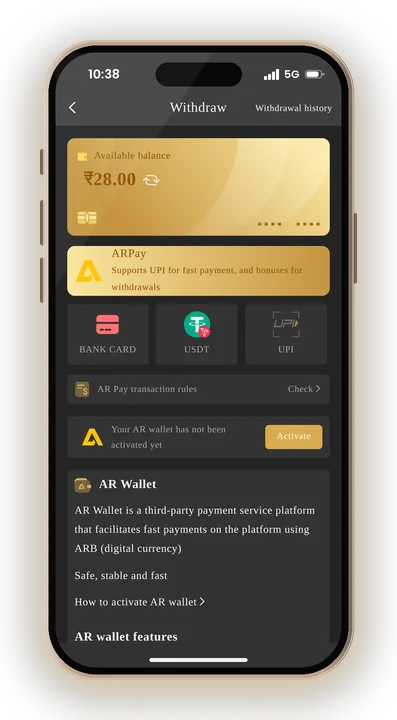
Step 3: Select the method, then tap the option to add your bank account or bind UPI.
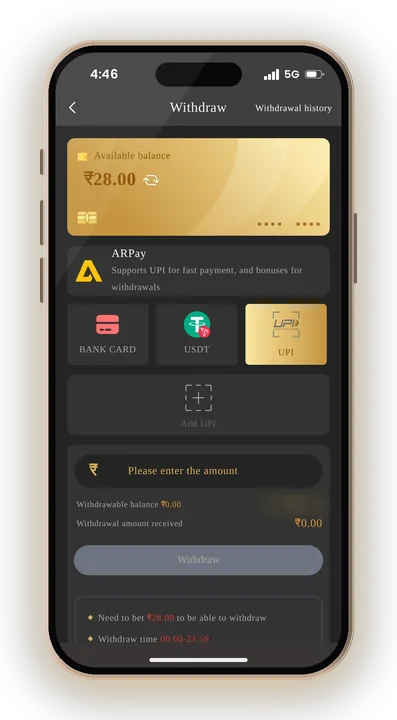
Step 4: Fill in the account holder name, account number and IFSC or your UPI ID exactly as your bank shows them.
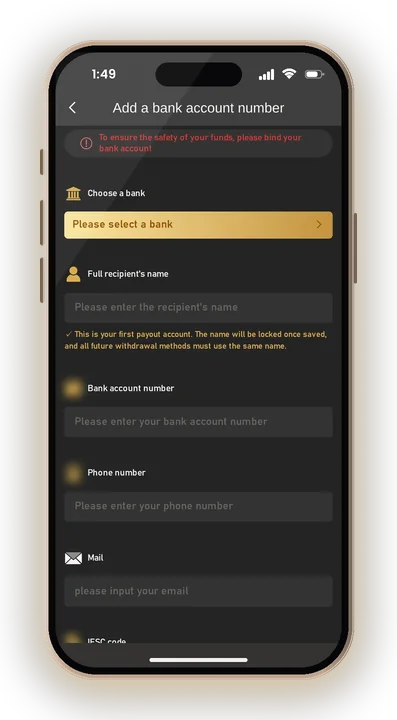
Step 5: Check every digit once more before saving, because the name gets locked.
The platform clearly states it is not responsible for losses caused by wrong bank information. A single wrong digit in the account number can send your money to the wrong place, so read it twice.
Step By Step BDG Game Withdrawal Process
Once your total bet is zero and your account is saved, the BDG Game withdrawal request itself takes under a minute.
Step 1: Launch the app or the mobile website, then sign in using your password along with either your phone number or your email.
Step 2: Tap the personal center, then the Wallet.
Step 3: The withdrawal window opens and shows your withdrawable balance.
Step 4: Check the total bet figure on the screen before going further.
Step 5: Pick UPI or USDT and select your saved bank account, or add one.
Step 6: Type the amount within the range shown and enter your login password.
Step 7: Tap the withdrawal button and note the time you sent it.
After submitting, check the withdrawal history in your Wallet. The status shows Completed only once the platform approves the transaction.
BDG Game Withdrawal Limits, Times And Daily Requests
Every method follows the same time window and the same daily count. The minimum and maximum amount differ by method, and the app shows the exact range on the BDG Game withdrawal screen.
| Method | Withdraw Time | Requests Per Day | Amount Range |
|---|---|---|---|
| UPI | 00:00-23:59 | 3 | Shown in the app for UPI |
| USDT | 00:00-23:59 | 3 | Shown in the app for USDT |
You can send 3 withdrawal requests per day for each method, and the app shows your remaining count as Inday Remaining Withdrawal Times. Since you only get three, avoid splitting a small balance into many requests.
The USDT range starts higher than the UPI range, so UPI suits smaller amounts. Check the range on screen before typing your amount, because anything outside it will be refused.
Common BDG Game Withdrawal Problems And Fixes
Most delays have a simple cause. Here are the ones players run into most often.
Withdraw Button Not Working
This almost always means your total bet is not yet zero. Open the withdrawal screen and look at the figure. Play normally until it clears, then submit again.
Request Pending For Many Hours
The platform may take 1-24 hours or longer to process a request, and the bank may need 1-7 working days to credit it. Give it that much time before doing anything else. If the status still hasn’t moved, raise a ticket with Customer Service stating the amount, the time and the method used, so the support team can track the payment.
Request Rejected Or Money Not Received
Check that the saved account name matches your profile and that the account number or UPI ID has no typing error. If the details are wrong, contact Customer Service rather than sending repeat requests, which only use up your three daily attempts.
Daily Limit Already Used
If all three requests for the day are used, you must wait for the next day. Plan one larger request instead of several small ones.
Safety Tips For Withdrawing Money
Download the app only from the BDG Game Official Website, since it is not on the Google Play Store and does not support iOS. Fake APKs can copy your login and bank details. You can reach the official homepage through BDG Game.
BDG Game Hack does not exist. Any hack, predictor or mod app claiming to guarantee wins or free withdrawals is a scam, and it is frequently designed to steal your password or your deposit. Do not give your login password or OTP to anyone, even someone who says they are an agent.
Bonus rules matter too. The same phone number, bank account, email or IP address cannot be used to claim a bonus twice, so do not create extra accounts with one bank account. That can freeze your BDG Game withdrawals.
You must be 18 or older to play. This is real-money gaming, results are random and you can lose what you deposit. Set a fixed playing budget, make a BDG Game withdrawal of part of any winnings early, and check the rules on real-money gaming in your state.
BDG Game Withdrawal – FAQs
How long does a BDG Game withdrawal take?
The platform processes requests within 1-24 hours or more. Money going to a bank account can take 1-7 working days to show.
Why can’t I withdraw even with money in my Wallet?
Your total bet must be zero before you can withdraw. Keep playing within your budget until it clears, then send the request.
How many times can I withdraw in a day?
You get 3 withdrawal requests per day for each method, during 00:00-23:59. The app shows how many you have left.
Can I change the name on my bank account later?
The account holder name is locked once saved, so enter it carefully. If you made an error, contact Customer Service. New players can sign up with the BDG Game Invite Code 367265533900.
Summing Up
A smooth withdrawal comes down to three checks: total bet at zero, payment details in your own name, and an amount inside the range shown for UPI or USDT.
Make the best use of your three requests per day and protect your login password. Play only if you are 18 or above, set a fixed budget and stay within it, and keep in mind that games played for real money can result in losses.